
GC Academy Membership
See inside GC Academy
The parts parents love most, shown with real screens.
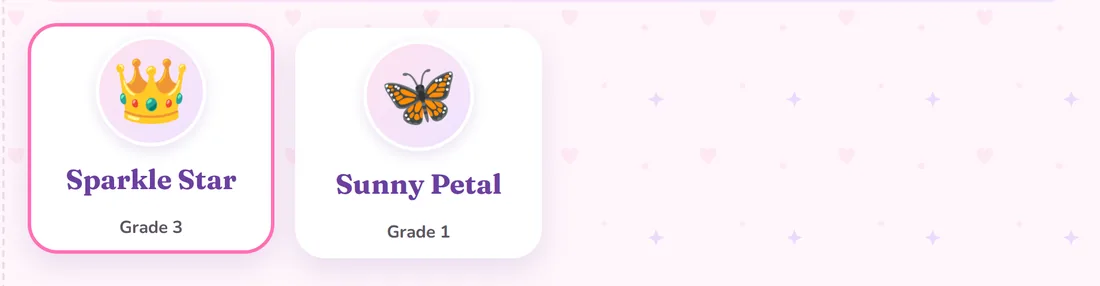
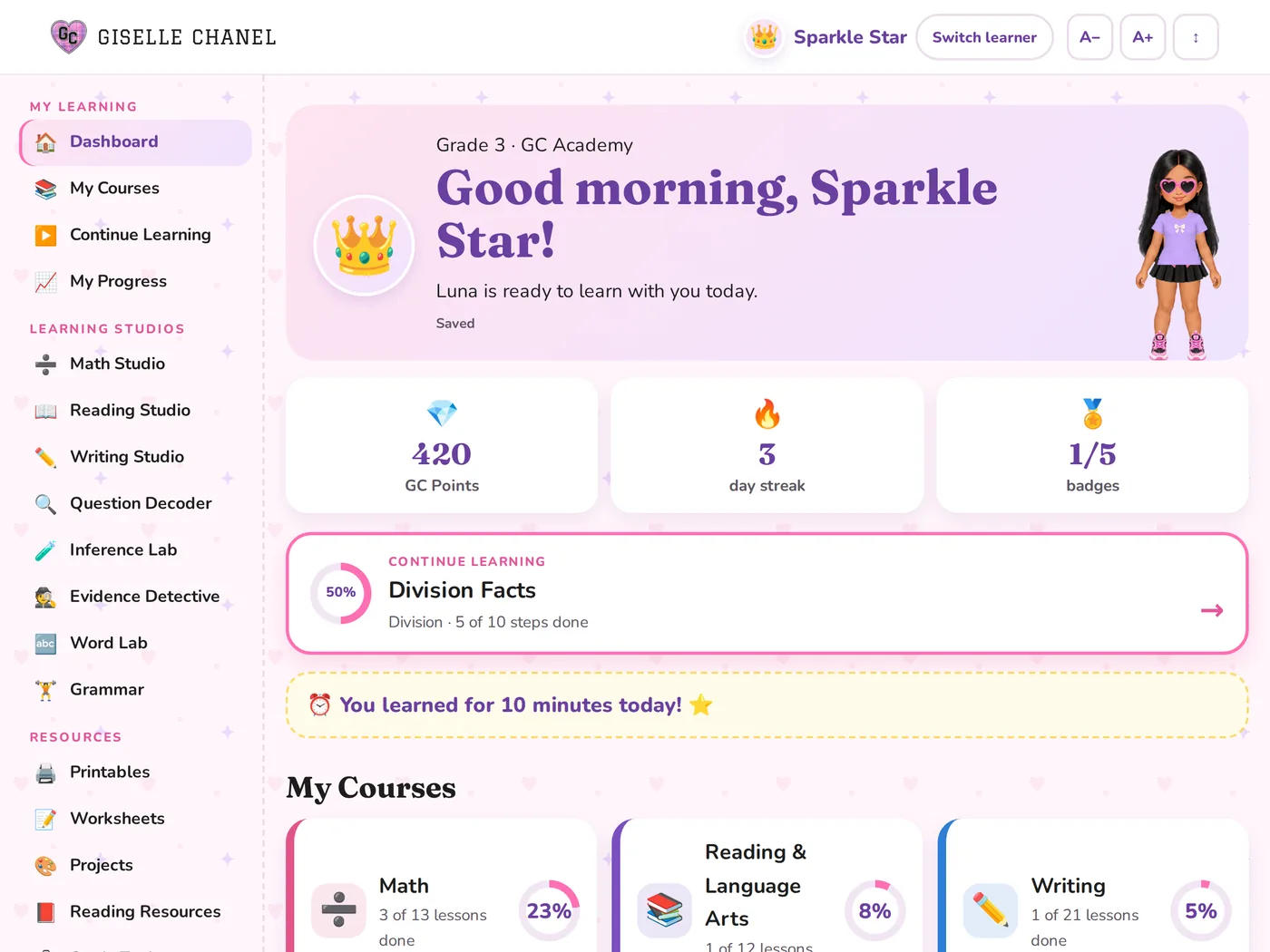
These are real GC Academy screens with a sample family: Ava (Grade 3) and Zoe (Grade 1). The names and scores are examples.
Weekly report · More than one child · Mastery & next steps · Progress report · Lessons · Printables · Tablets & iPads
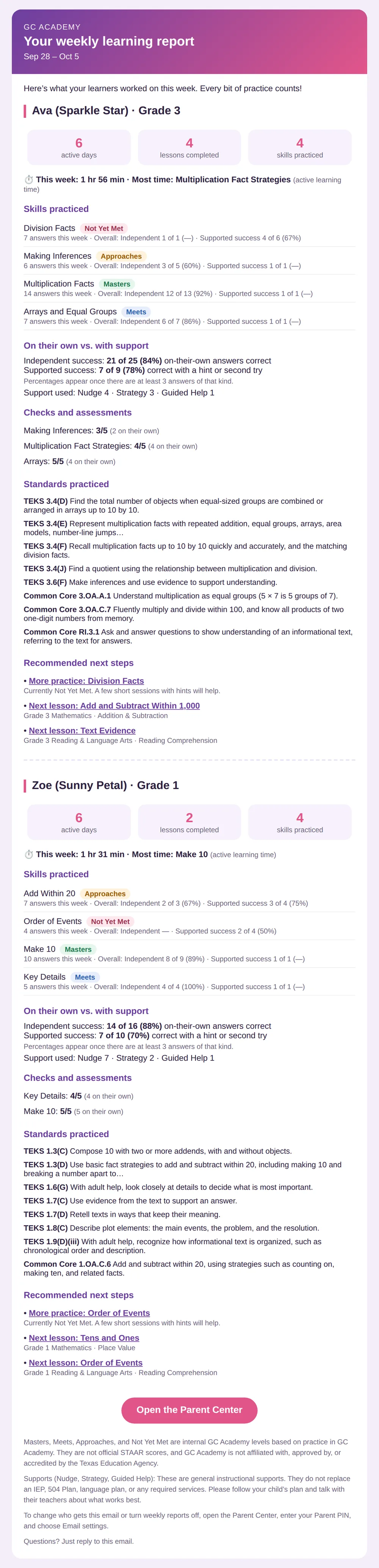
A weekly report in your inbox every Friday
Every Friday at 5 PM Central, you get one email with a section for each child:
- Days practiced, lessons finished, and time spent learning
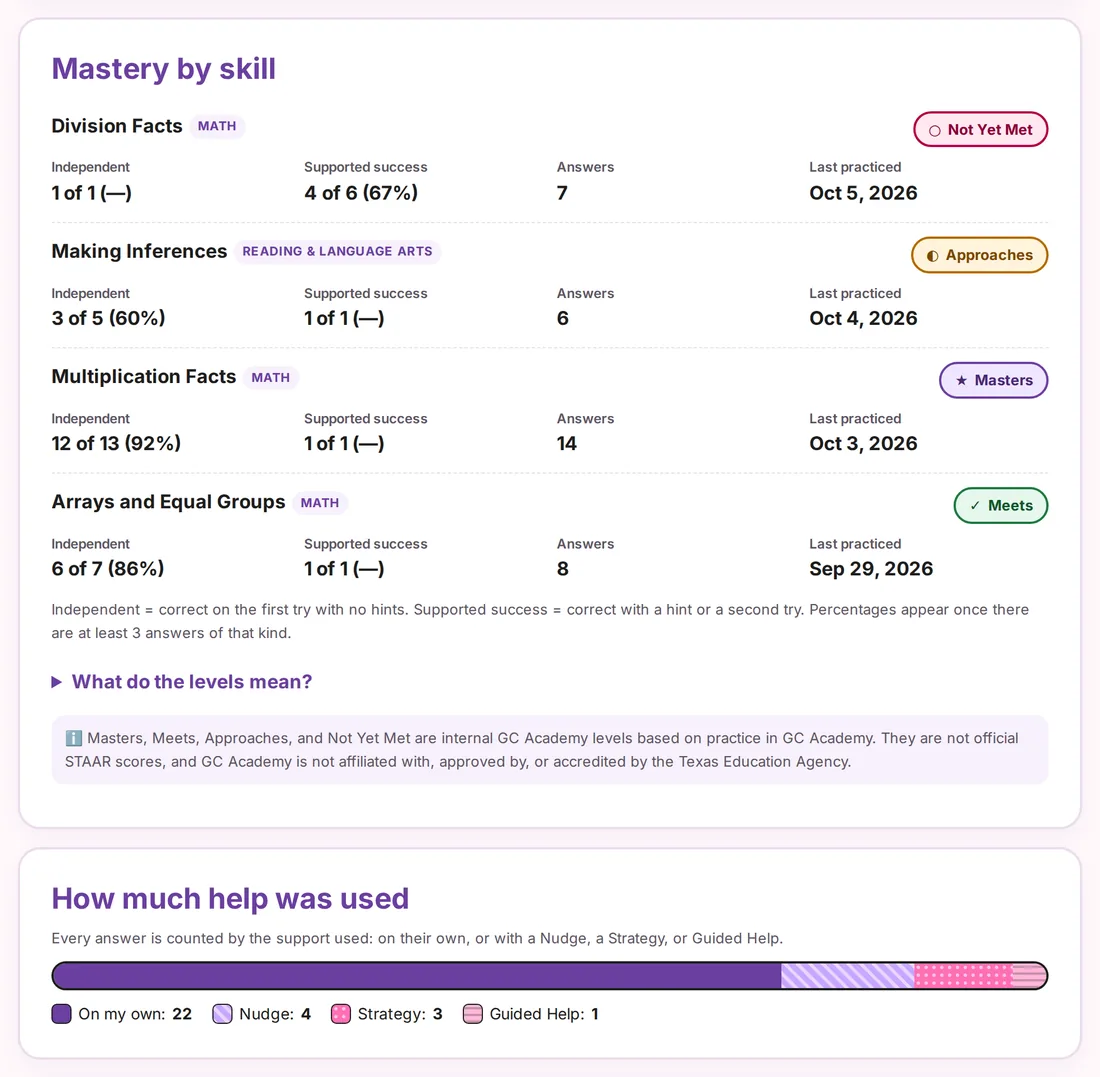
- Each skill with its mastery level
- How much they did on their own and how much help they used
- Quiz scores, the standards they practiced, and what to do next
Add up to 2 more emails, like a co-parent or grandparent.
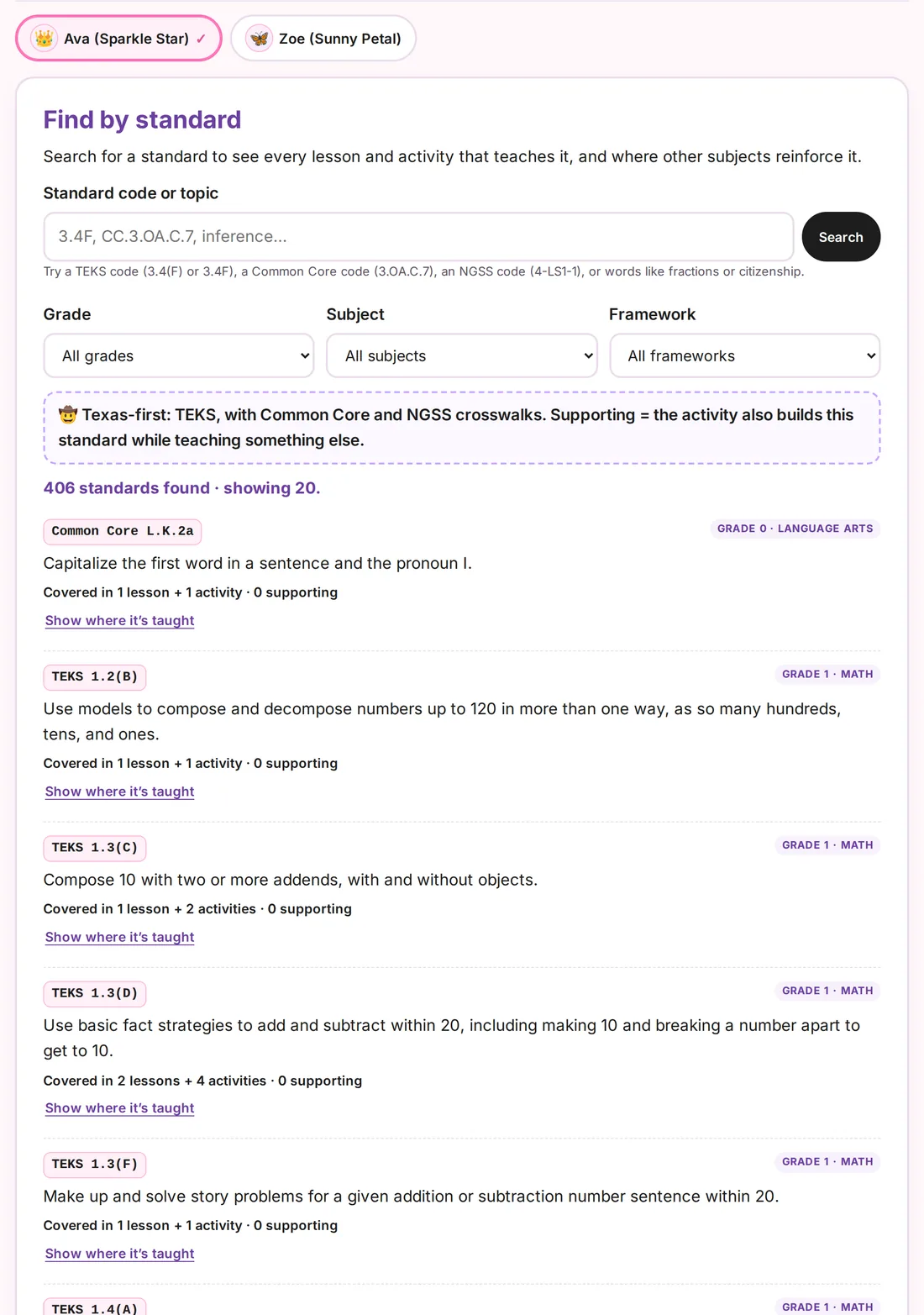
Track each child on their own
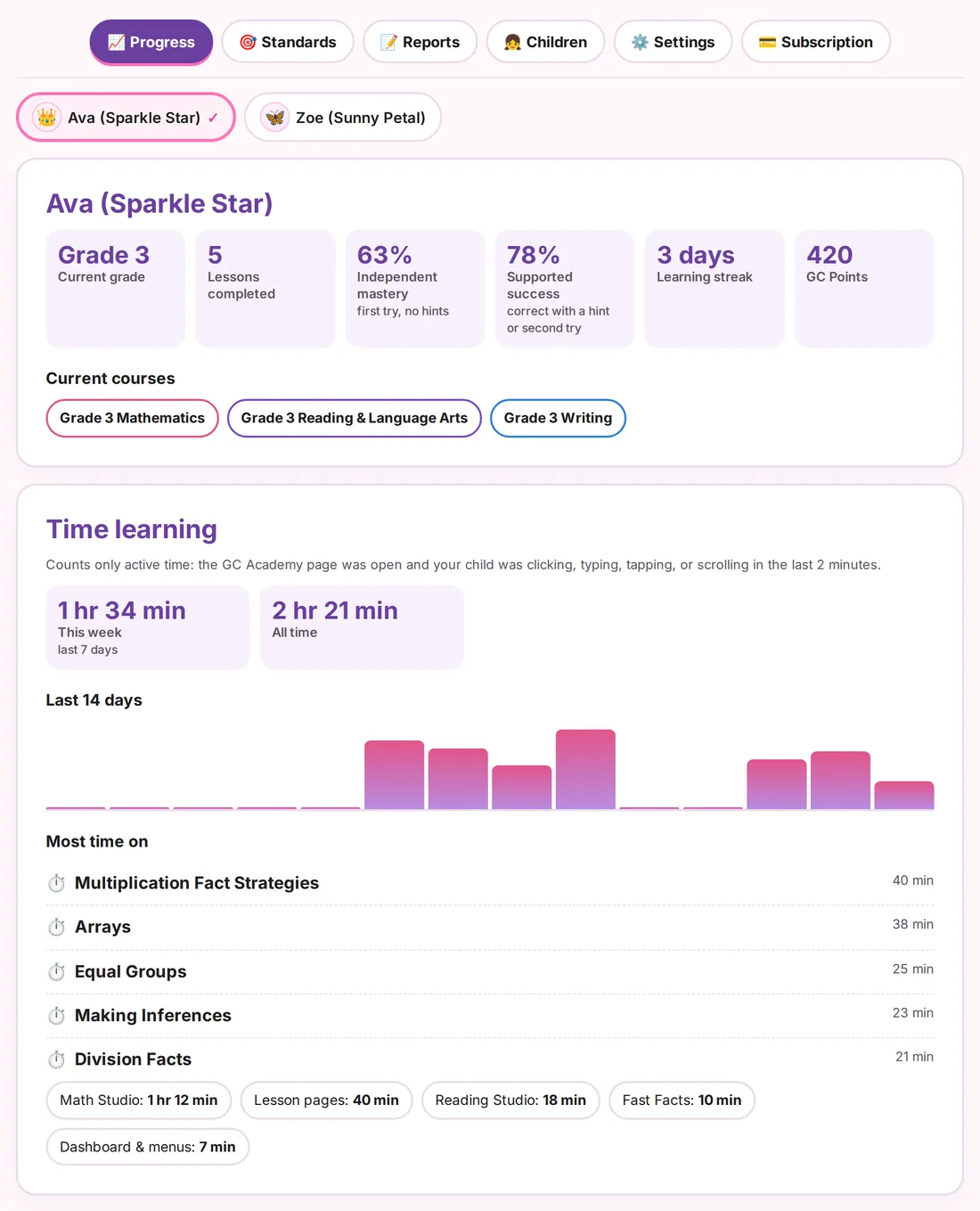
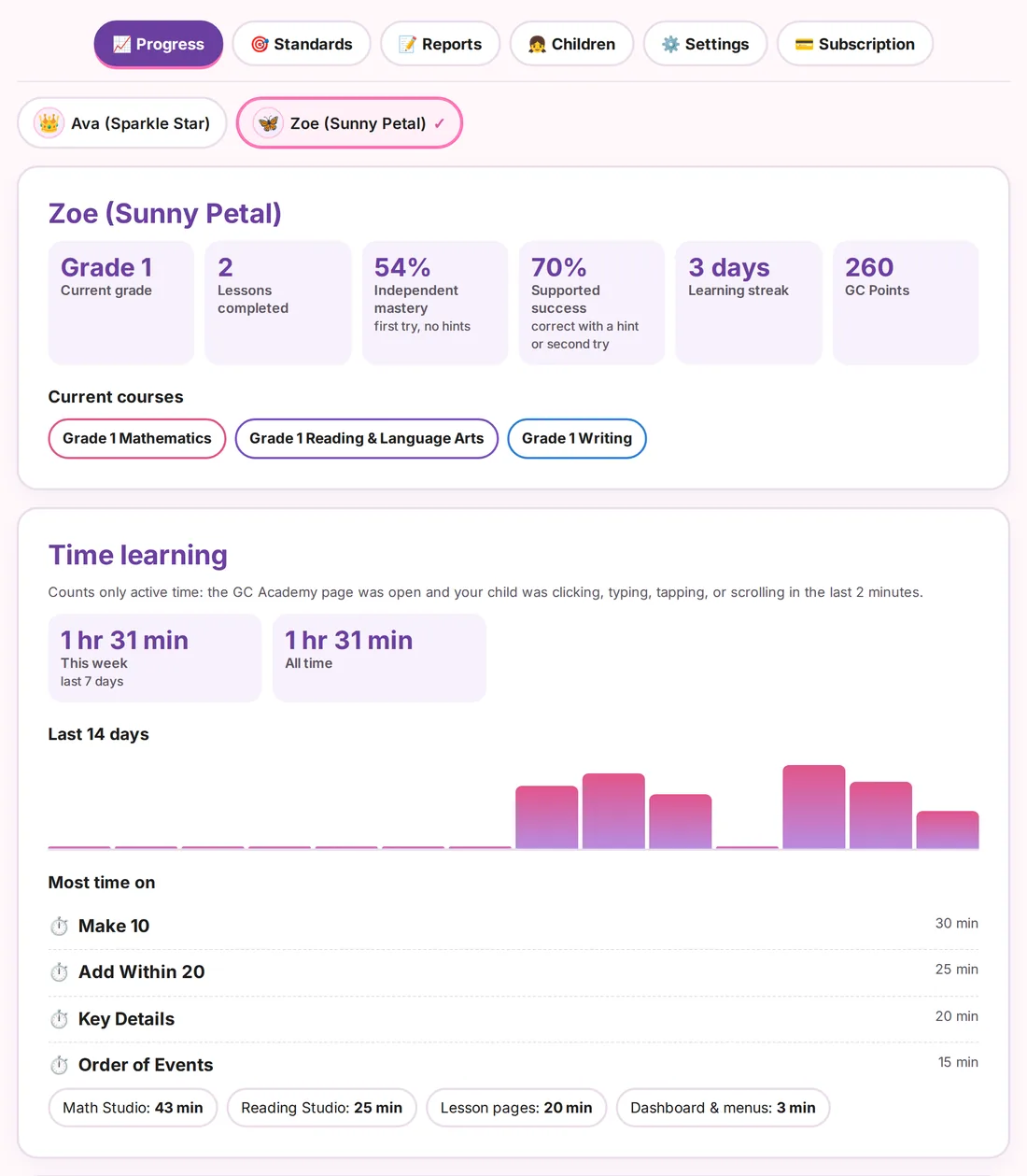
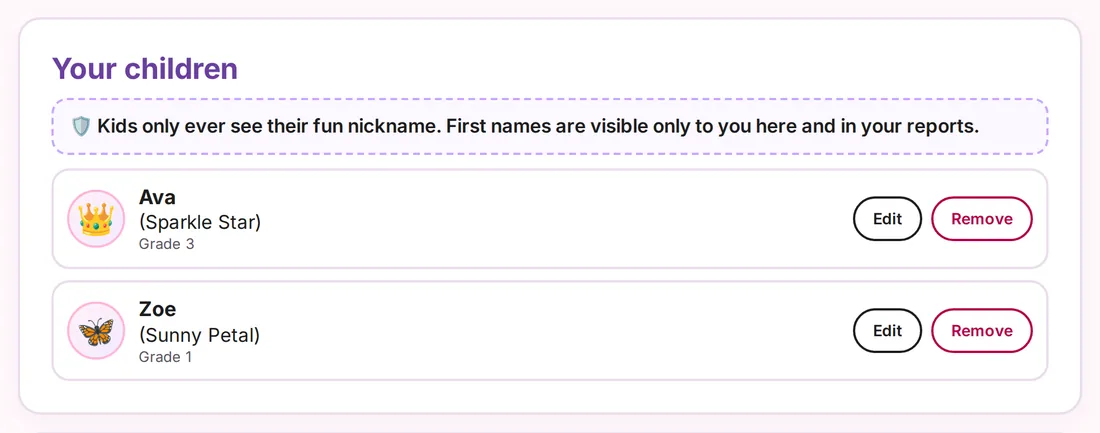
One account works for the whole family. In the Parent Center, tap a child’s name to see their grade, courses, time spent, and progress. Kids only see their fun nickname. First names are just for you.
Know exactly where they stand
Every skill has a level: Masters, Meets, Approaches, or Not Yet Met. You can see what your child did on her own and what she did with a hint.
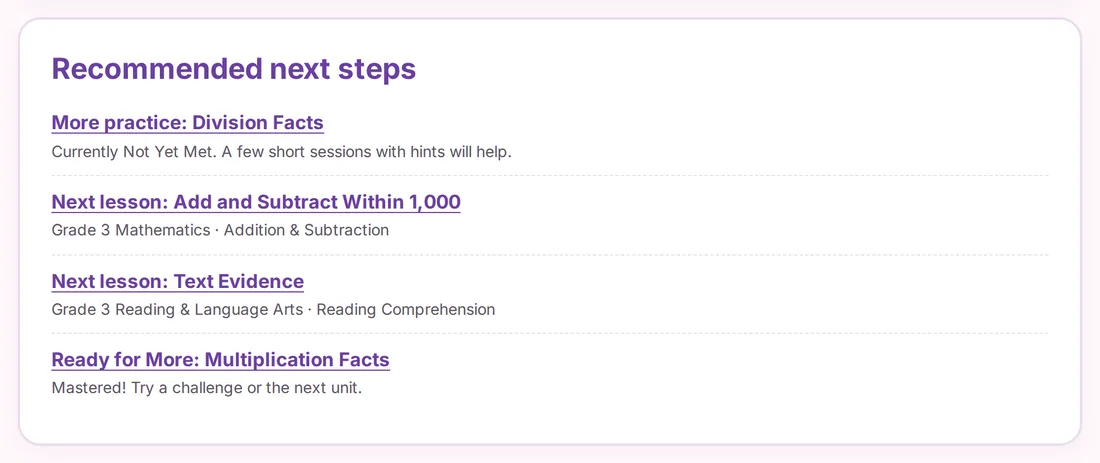
GC Academy also recommends next steps. That might be more practice on a tricky skill, the next lesson, or a challenge once she has mastered a skill.
Levels are based on practice in GC Academy. They are not STAAR scores.
A full progress report you can print
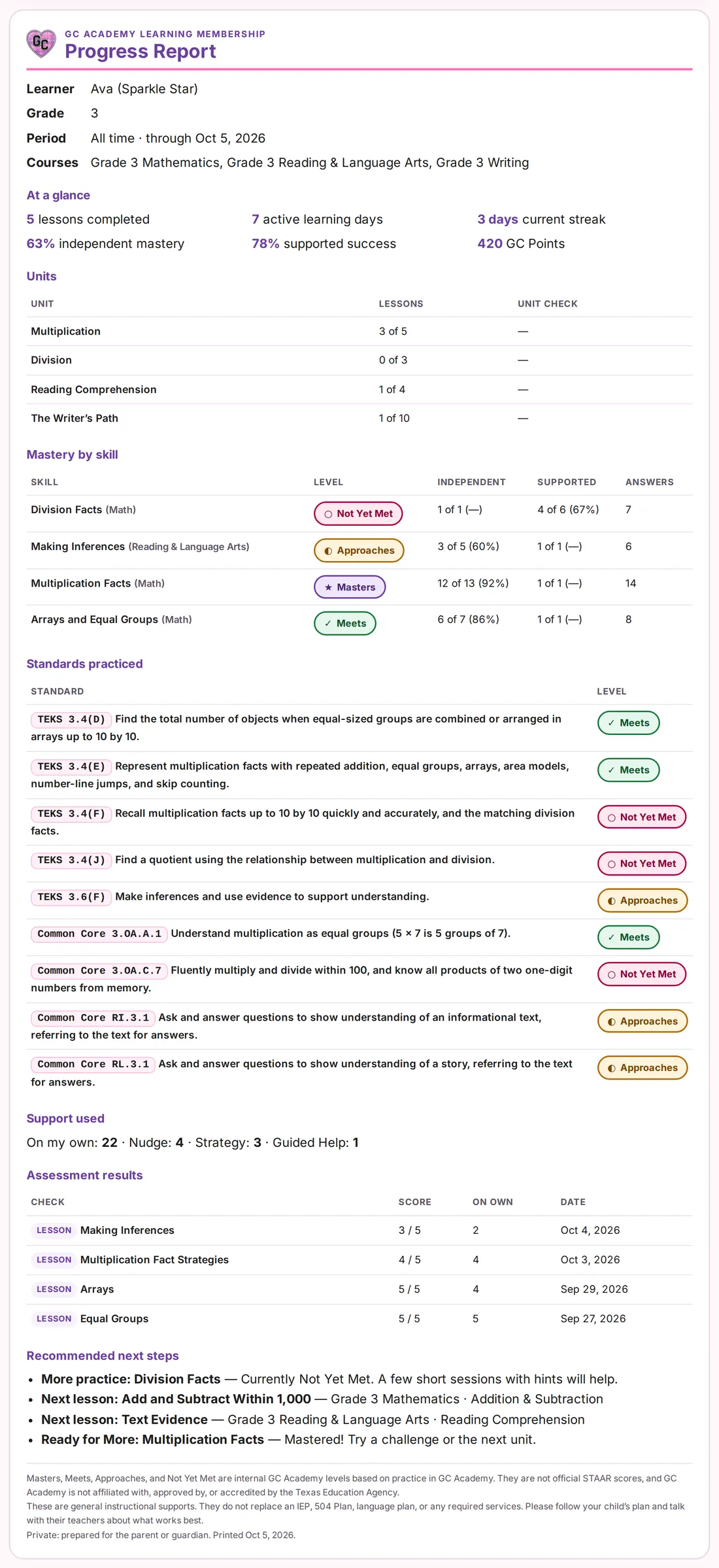
Print a full report any time, or bring it to a parent-teacher conference. It shows:
- Units and lessons finished
- Mastery for each skill
- Every standard practiced
- Quiz scores and next steps
Each June, you also get a Year-End Progress Report for each child to keep.
What your child sees
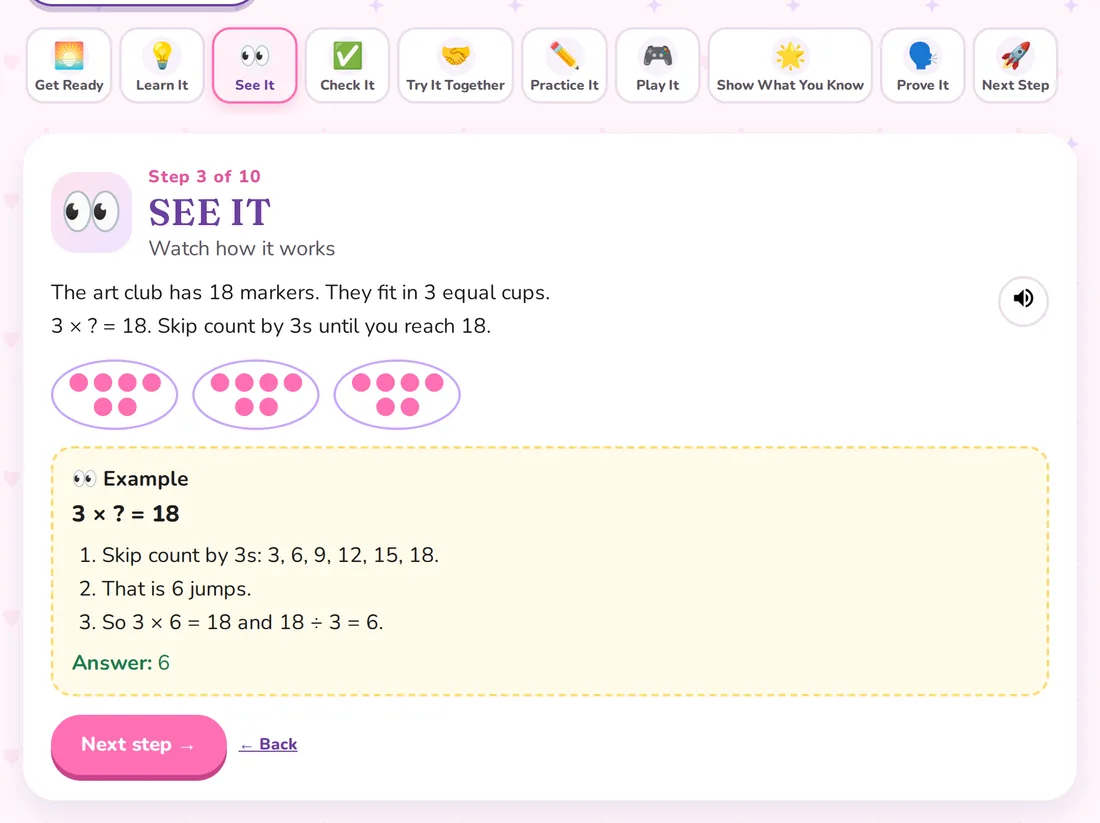
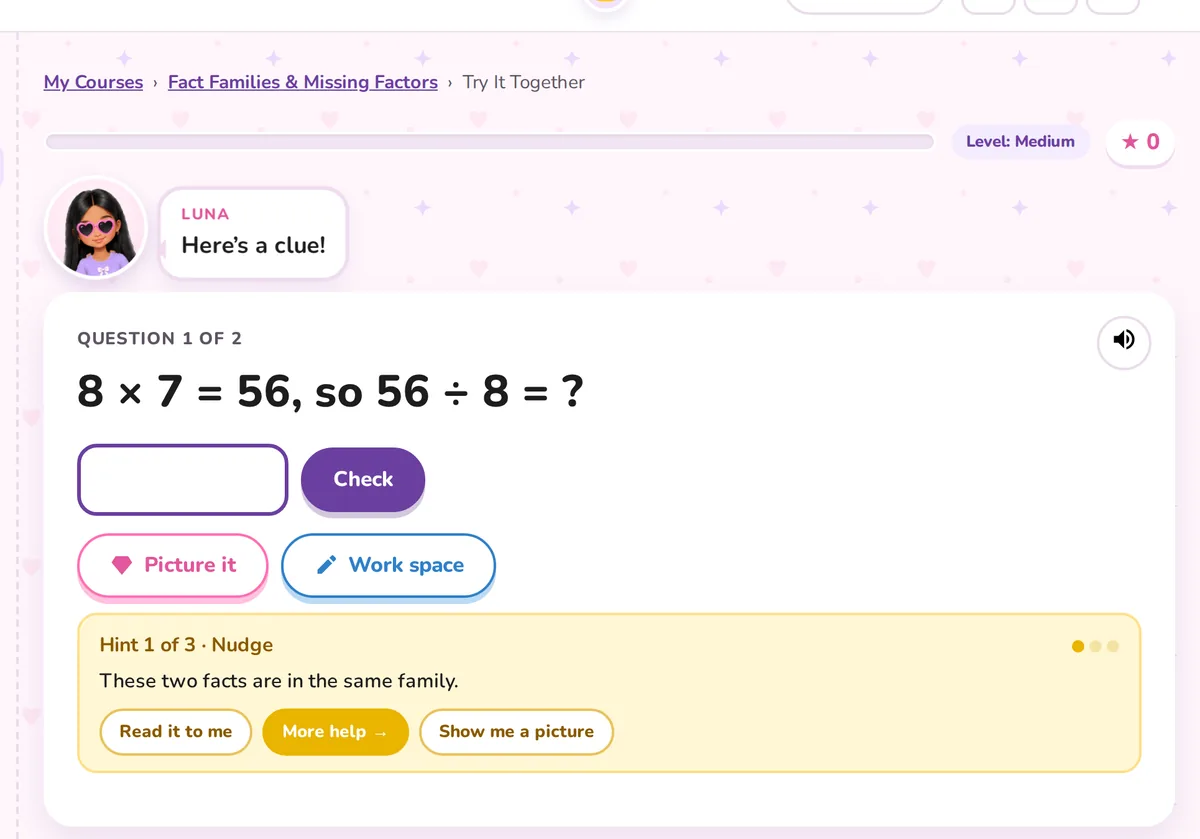
Each child taps her own nickname, then picks up right where she left off. Every lesson follows the same 10 short steps, from Get Ready to Next Step. When she gets stuck, help comes in three levels: a Nudge, a Strategy, then Guided Help.
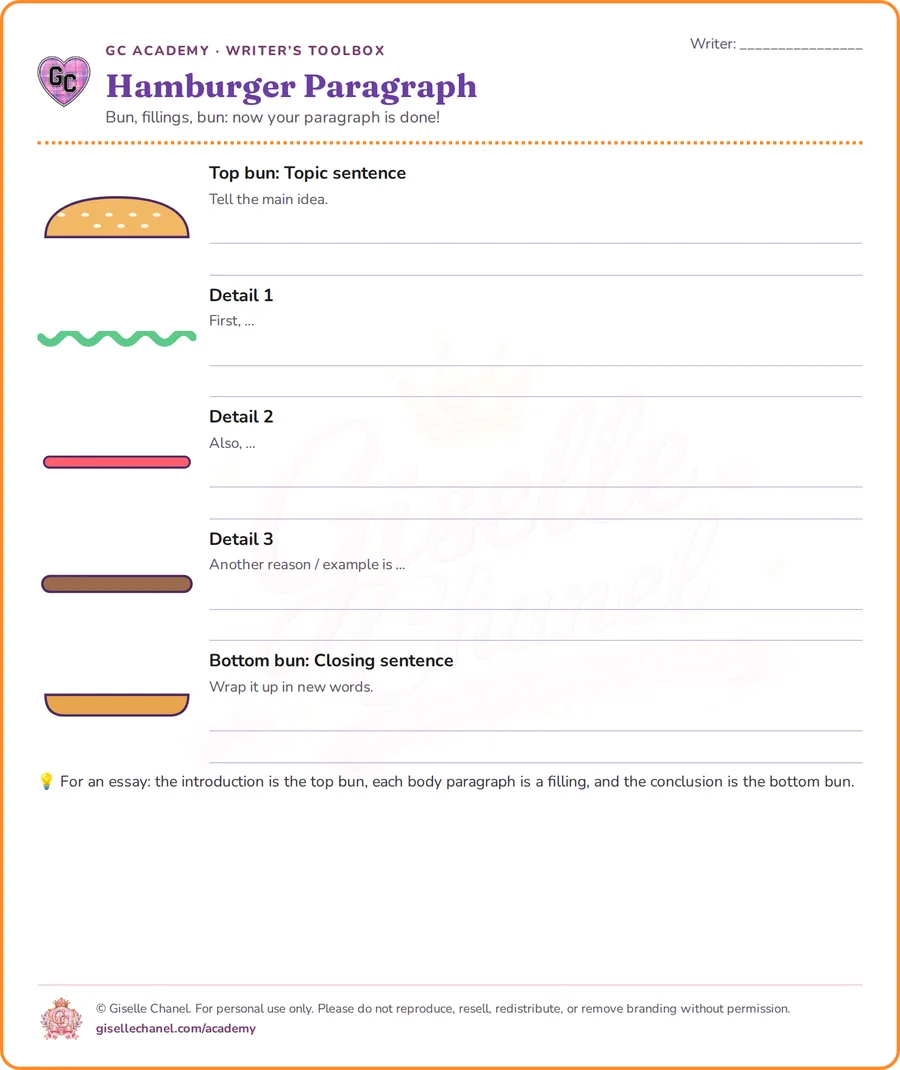
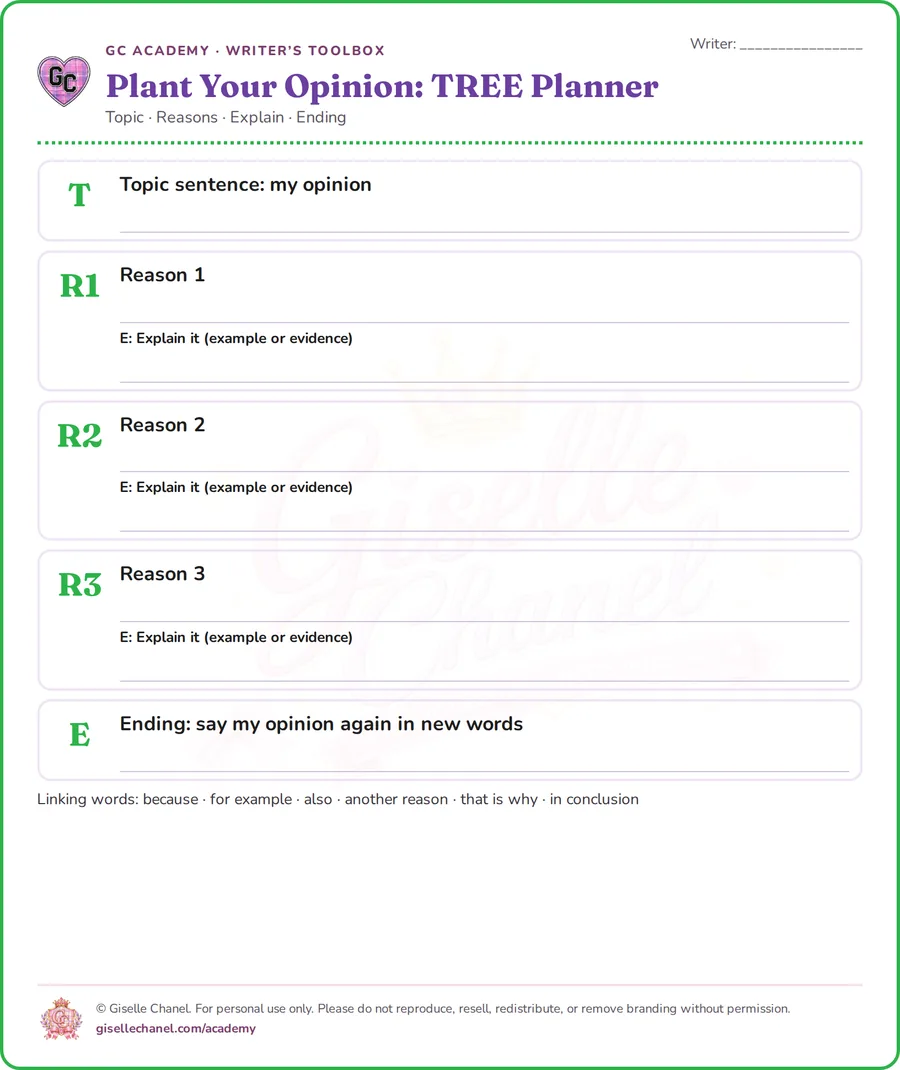
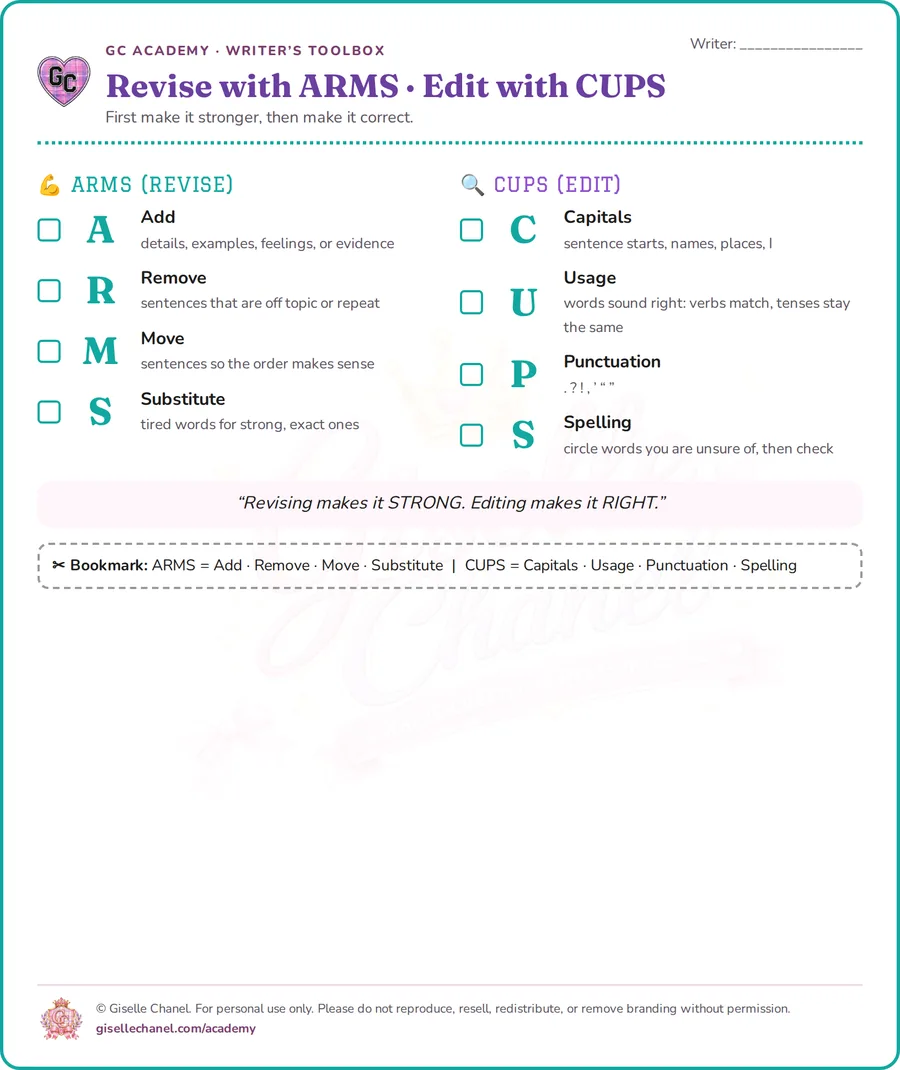
Printable graphic organizers and checklists
The Writer’s Toolbox has organizers, checklists, and memory-trick sheets. They print on regular letter paper for pencil-and-paper practice at home.
Use it like an app on tablets and iPads
GC Academy works in any web browser. You can also add it to the home screen so it opens like an app. Nothing to download from an app store.
iPad or iPhone
- Open gisellechanel.com/academy in Safari.
- Tap the Share button (the square with an arrow).
- Tap Add to Home Screen, then Add.
Android tablet or phone
- Open gisellechanel.com/academy in Chrome.
- Tap the ⋮ menu.
- Tap Install app or Add to Home screen.
Computer
- Open GC Academy in Chrome or Edge.
- Click the install icon in the address bar.
- GC Academy opens in its own window.
Ready to start?
How it works · Parent FAQ · Our story
GC Academy is supplemental practice. It is not affiliated with or endorsed by the Texas Education Agency, and it does not guarantee grades or test results.